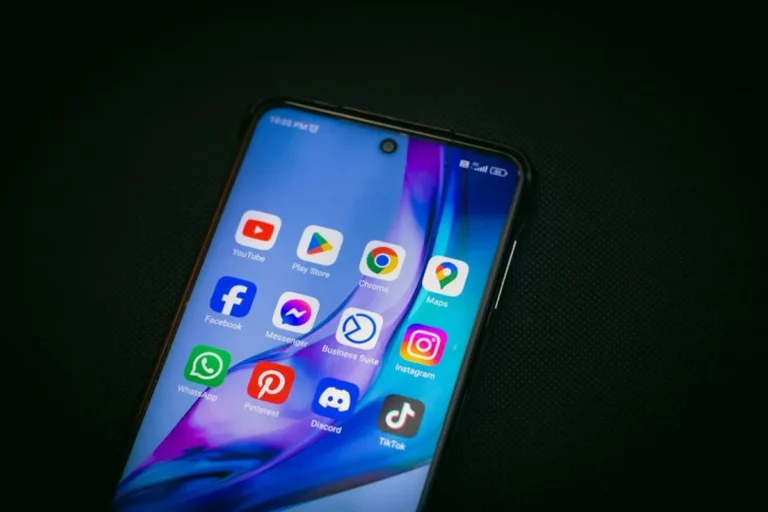

The concept of "Insta save" captures the desire to download or archive content from Instagram. For many users, this means saving a friend's photo, a compelling video, or an inspiring Reel for offline viewing or later reference. For businesses and content creators, the appeal often stems from a need to repurpose content, monitor competitor activity, or maintain a local archive of visual assets. However, the methods commonly associated with "Insta save" — primarily third-party applications and websites designed for unauthorized content downloading — carry significant security, privacy, and legal risks. These tools frequently violate Instagram's Terms of Service, potentially exposing user accounts to compromise, infringing on copyright, and leading to account suspensions. Understanding these inherent dangers is critical for anyone considering such methods. This article explores what "Insta save" entails, how these unauthorized tools typically function, and, crucially, outlines legitimate, safer alternatives that align with platform policies and protect user data, offering practical solutions for content management without compromising security or integrity.
What is Insta save?
"Insta save" refers to the act of downloading or saving media (photos, videos, Stories, Reels) from Instagram to a local device, often using unofficial third-party tools. This term encompasses a range of methods, from dedicated mobile apps and browser extensions to web-based services, all designed to facilitate the extraction of content that Instagram itself does not natively offer for direct public download. The motivation behind using such tools varies: individual users might save personal memories or inspirational posts, while marketers and content strategists might seek to analyze viral trends, archive competitor content, or backup their own published material outside of Instagram's ecosystem. The core appeal is the ability to retain content independently of the platform, enabling offline access or potential re-use.
How Do Insta save Tools Work?
Most "Insta save" tools operate by scraping data from Instagram's public-facing interfaces or by leveraging unofficial access to its API. When a user inputs a post URL or a profile username into one of these services, the tool typically performs one of the following actions:
- Web Scraping: The tool's servers mimic a web browser, accessing the Instagram page and programmatically extracting the direct URL to the media file (image or video). This URL, usually embedded within the page's source code, is then used to download the content.
- Unofficial API Access: Some tools attempt to interact with Instagram's private or undocumented API endpoints. This often requires users to log in through the third-party app, granting it access to their Instagram credentials. Once authenticated, the tool can request media files directly from Instagram's servers, bypassing the official user interface restrictions.
- Browser Extensions: These extensions inject scripts into the Instagram web page, adding download buttons or context menu options directly into the browser. When clicked, these scripts identify the media element on the page and initiate a download, often by finding the direct media URL.
The risks associated with these mechanisms are substantial. Web scraping can be unstable and easily blocked by Instagram's anti-bot measures. Unofficial API access, especially when requiring user login, poses severe security and privacy threats. Users risk exposing their Instagram login credentials to potentially malicious third parties, leading to account compromise, spamming, or unauthorized data collection. Furthermore, such activities are direct violations of Instagram's Terms of Service, which explicitly prohibit unauthorized scraping, API usage, and content downloading. Engaging in these practices can result in temporary account restrictions or permanent suspension, jeopardizing a user's presence on the platform.
Why Seek Safer Alternatives?
Relying on unauthorized "Insta save" methods presents a series of critical drawbacks that impact security, privacy, and platform compliance:
- Security Vulnerabilities: Many third-party downloading tools are not vetted for security. They can be vectors for malware, spyware, or phishing attempts. Providing your Instagram login credentials to an unknown service is a direct risk of account takeover, where malicious actors can gain control of your profile, post spam, or steal personal information.
- Privacy Breaches: These tools often collect user data, including IP addresses, device information, and browsing habits, without clear privacy policies or user consent. This data can be sold to third parties, used for targeted advertising, or exploited in other ways that compromise personal privacy.
- Terms of Service Violations: Instagram's Terms of Service explicitly prohibit unauthorized access to its platform, scraping content, and downloading media without explicit permission. Using "Insta save" tools can lead to account warnings, temporary suspensions, or permanent bans, disrupting personal and commercial activities on the platform.
- Copyright Infringement: Downloading and repurposing content created by others, even if publicly available, typically constitutes copyright infringement unless explicit permission is obtained or fair use principles apply. This can lead to legal action, content removal requests, and damage to a brand's reputation.
- Unreliable Functionality: Since these tools operate outside official channels, their functionality is often unstable. Instagram regularly updates its platform and anti-scraping measures, causing "Insta save" tools to break frequently, rendering them unreliable for consistent use.
What to Look For in a Safer Alternative
When seeking legitimate methods to manage or save Instagram content, prioritize solutions that offer transparency, security, and compliance with platform guidelines. Focus on tools and practices that:
- Adhere to Instagram's Terms of Service: Choose methods that utilize official APIs or Instagram's built-in features. This minimizes the risk of account suspension and ensures a stable, authorized connection to the platform.
- Prioritize Data Security and Privacy: Opt for reputable services with clear privacy policies, robust security measures (e.g., encryption), and a track record of protecting user data. Avoid tools that require you to share your Instagram login credentials directly.
- Support Your Specific Use Case: Determine whether you need to save your own content, manage content for a brand, or simply bookmark inspiring posts. Different alternatives cater to different needs, from personal archiving to professional content scheduling.
- Offer Transparent Functionality: Understand exactly how a tool works. If it claims to "download anything," investigate its methods. Legitimate tools for content management typically focus on content you own or have rights to, or they save content within Instagram's own ecosystem.
- Provide Clear Copyright Guidance: Any solution involving content from others should emphasize the importance of obtaining permission or adhering to fair use principles. The best alternatives facilitate ethical content management, not unauthorized distribution.
Safer Alternatives to Insta save
1. Instagram's Native "Save" Feature
Instagram provides an integrated "Save" feature that allows users to bookmark posts directly within the app. This functionality is designed for personal content curation, enabling users to revisit posts without having to search for them again. Saved posts are organized into private collections, accessible only to the user who saved them. This feature respects content creators' rights by not facilitating direct downloads, while still serving the user's need to keep track of interesting or important content.
Key Features: In-app bookmarking; private collections; no direct downloads; works for posts, Reels, and Stories (Stories save only for 24h unless highlighted).
Pricing: Free.
Best For: Personal inspiration boards; curating content for later reference; organizing ideas without downloading.
Pros: Fully compliant with Instagram's Terms of Service; secure as it's built into the platform; protects user privacy; easy to use and access from any device.
Cons: Does not allow offline access; content can be removed by the original poster, making it unavailable; not suitable for content repurposing or professional archiving outside the app.
2. Instagram's Data Download Tool
Instagram offers an official tool to download a copy of all your personal data, including photos, videos, and comments you've shared. This feature is intended for users to back up their own content, ensuring they have an archive of their contributions to the platform. The download process is initiated through Instagram's privacy settings and typically delivers a compressed file containing your media and information within a few days, sent to your registered email address.
Key Features: Comprehensive archive of your own photos, videos, stories, and profile information; official and secure data export; delivered as a downloadable file.
Pricing: Free.
Best For: Personal backup of your own Instagram history; migrating content to other platforms; ensuring data ownership and control.
Pros: Fully compliant and secure; provides a complete archive of your owned content; no third-party risk; supports data portability.
Cons: Only downloads your own content, not content from other users; process can take several days; delivered as a raw data file that may require organization.
3. Social Media Management Platforms (e.g., Later, Hootsuite, Sprout Social)
Leading social media management platforms provide robust tools for businesses and creators to schedule, publish, and manage their *own* content on Instagram. These platforms integrate with Instagram's official API, allowing for secure content uploads, scheduling, and analytics. While they do not facilitate downloading other users' content, they often include media libraries where users can store and organize their original visual assets, ensuring they have a secure, accessible repository for content destined for Instagram.
Key Features: Content scheduling and publishing; media library for owned assets; analytics and reporting; team collaboration; Instagram API integration for secure operations.
Pricing: Varies widely, from free tiers with limited features to hundreds of dollars per month for enterprise solutions, depending on the number of profiles, users, and advanced features.
Best For: Brands, agencies, and content creators managing their own Instagram presence; content planning and distribution; team workflows; maintaining a professional media library.
Pros: Secure and compliant with Instagram's API terms; streamlines content workflow; offers advanced features for marketing and analytics; centralizes owned media assets.
Cons: Primarily focused on managing *your own* content, not downloading others'; can be costly for advanced features; requires a learning curve for full utilization.
4. Digital Asset Management (DAM) Systems
Digital Asset Management (DAM) systems are centralized repositories for an organization's media assets, including images, videos, and other creative files. For businesses active on Instagram, a DAM system acts as the single source of truth for all branded visual content. Content creators and marketers can store, organize, retrieve, and distribute approved assets from the DAM, ensuring brand consistency and legal compliance. While not directly an "Insta save" tool, it's a foundational alternative for managing the *source* content that goes onto Instagram.
Key Features: Centralized media library; robust metadata tagging and search; version control; access permissions; integration with content creation and distribution tools; secure storage.
Pricing: Custom pricing based on storage, users, and features; typically starts from hundreds to thousands of dollars per month for business-grade solutions.
Best For: Large organizations, brands, and agencies with extensive media libraries; ensuring brand consistency; managing content rights and approvals; streamlining content workflows across departments.
Pros: Ultimate control and security over owned assets; ensures brand compliance and legal usage; highly scalable for growing content needs; reduces content duplication and loss.
Cons: Significant investment in cost and implementation; primarily focused on *owned* assets, not external content; requires dedicated management and integration.
5. Manual Screenshot or Screen Recording
For occasional, non-commercial use, taking a screenshot (for images) or screen recording (for videos) is a direct, albeit low-fidelity, method to capture content displayed on your screen. This method bypasses any third-party tools or API interactions, relying solely on your device's native capabilities. It's a manual process that requires careful consideration of copyright and fair use, as capturing content this way does not grant you rights to redistribute it.
Key Features: Uses built-in device functionality; no third-party apps required; captures exact visual representation on screen.
Pricing: Free (using existing device features).
Best For: Personal, ephemeral reference; capturing a quick visual for private use; situations where higher quality or repurposing is not required.
Pros: No security or privacy risks from third-party apps; completely bypasses Instagram's systems; immediate capture.
Cons: Low quality (screenshots often have lower resolution and may include UI elements); screen recordings can be cumbersome and large files; does not grant permission for reuse; strictly for personal, non-commercial use to avoid copyright infringement.
6. Content Creation & Editing Software (e.g., Canva, Adobe Creative Cloud)
Rather than saving existing Instagram content, a safer and more productive alternative involves focusing on *creating* original content. Tools like Canva, Adobe Creative Cloud (Photoshop, Premiere Pro), and other graphic design and video editing software empower users to produce high-quality, unique visual assets specifically tailored for Instagram. This approach eliminates the need to download content from others, ensuring full ownership and creative control over what is published.
Key Features: Image editing; video editing; graphic design templates; stock media libraries (often with licensing); collaboration tools; export options for various social media platforms.
Pricing: Varies significantly. Canva offers free tiers and paid subscriptions (e.g., Pro at $12.99/month). Adobe Creative Cloud is subscription-based (e.g., Photography Plan at $9.99/month, All Apps at $54.99/month).
Best For: Content creators, marketers, and businesses who need to produce original, branded content for Instagram; maintaining a consistent brand aesthetic; avoiding copyright issues.
Pros: Ensures full ownership and copyright of content; allows for complete creative control; produces high-quality, platform-optimized assets; builds a unique brand identity.
Cons: Requires creative skills or investment in design resources; time-consuming to create content from scratch; not a solution for saving *other people's* content.
7. Cloud Storage Services (e.g., Google Drive, Dropbox, OneDrive)
Cloud storage services offer secure, scalable solutions for individuals and businesses to store their own original photos and videos. Before uploading content to Instagram, or after downloading your own data via Instagram's official tool, these services provide an excellent backup and organization system. They ensure that your valuable media assets are protected, accessible across devices, and not solely reliant on Instagram's platform for safekeeping. This is a crucial component of a comprehensive content strategy, particularly for archiving owned content.
Key Features: Secure file storage; cross-device synchronization; file sharing and collaboration; version history; robust backup capabilities; integration with other productivity tools.
Pricing: Free tiers (e.g., Google Drive 15GB, Dropbox 2GB, OneDrive 5GB); paid plans for increased storage (e.g., Google One 100GB for $1.99/month, Dropbox Plus 2TB for $11.99/month).
Best For: Personal and professional backup of original content; team collaboration on media files; long-term archiving of assets; ensuring content availability across multiple devices.
Pros: Highly secure and reliable for owned content; accessible from anywhere; prevents data loss; facilitates easy sharing of original files; scalable storage options.
Cons: Not for downloading content from other Instagram users; requires manual organization of files; dependent on internet access for full functionality.
How to Choose the Right Alternative
Selecting the most appropriate alternative to unauthorized "Insta save" tools requires a clear understanding of your specific needs and a commitment to ethical, compliant practices. Begin by defining your primary objective: are you looking to archive your own content, manage a brand's social media presence, gather inspiration, or something else entirely? For personal content backup, Instagram's official data download or cloud storage are secure, straightforward choices. Businesses needing to manage their social media presence should invest in reputable social media management platforms that integrate via official APIs, ensuring compliance and robust functionality for scheduling and analytics. If your goal is content creation, dedicated design and video editing software will be essential. Always prioritize solutions that explicitly state their adherence to Instagram's Terms of Service and demonstrate strong commitments to data security and user privacy. Avoid any tool that requests your Instagram login credentials or promises to download "anything" from the platform without clear, legitimate mechanisms. A balanced approach often involves combining several of these alternatives—using Instagram's native save feature for inspiration, a social media management platform for brand content, and cloud storage for personal archives—to cover various content management needs safely and effectively.
FAQ
Is it legal to download Instagram photos or videos?
Downloading content from Instagram without the owner